Combo Editor — Build Yu-Gi-Oh! Combo Lines Visually
Plan precise Yu-Gi-Oh! combo lines with a drag-and-drop interface. Sequence cards, annotate each step, and export shareable diagrams in seconds.
What is the Combo Editor?
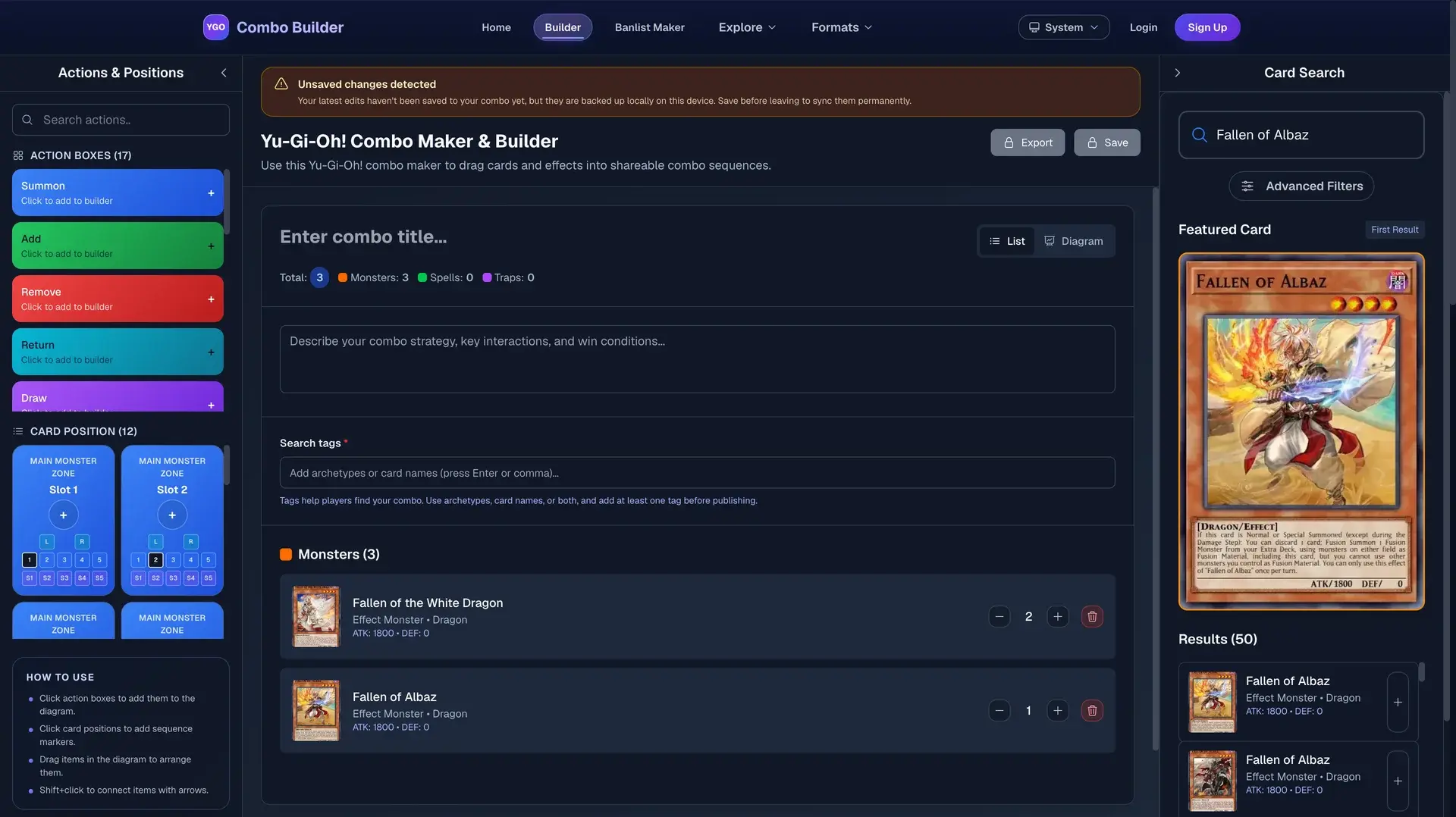
The YGO Combo Builder Combo Editor is a browser-based tool for mapping out Yu-Gi-Oh! combo lines step by step. Instead of writing combo routes in a notes app or trying to remember sequence order during a duel, you can build an interactive card-by-card plan that shows exactly what happens at each step — what card to play, what it searches or summons, and what the end board looks like.
Each card in your combo line is pulled from the live Yu-Gi-Oh! database, so you always see the real card art, correct name spelling, and current banlist status alongside your sequence. The editor is free to use without an account; saving combos privately or sharing them publicly requires a free account.
How the Combo Editor works
- 1
Search and add cards
Use the built-in card search to find any card by name or archetype. The autocomplete pulls from a database of every Yu-Gi-Oh! card. Click a result to add it as the next step in your combo line.
- 2
Annotate each step
Below every card slot you can add a text note explaining what the card does in that step — what it Normal Summons, what effect activates, what it searches, or what it tributes. Notes are optional but make combos far easier to follow.
- 3
Reorder and branch
Drag cards up or down to adjust sequencing. If your combo has an alternate line (for example, if your opponent responds to a search), you can add a branch point to document both routes.
- 4
Review the visual diagram
Switch to diagram view to see the full combo as a connected flow with card images. This is useful for checking the logic at a glance and for sharing screenshots of the finished route.
- 5
Export or publish
Export the combo as a formatted text file, PDF, or shareable link. Published combos appear in the public combo gallery where other duelists can browse, copy, and build on your work.
Key capabilities
- Live card database
- Every card lookup resolves against the current YGO Combo Builder database, including card text, type, attribute, and TCG/OCG banlist legality.
- Step annotations
- Each step supports free-text notes so you can explain the purpose of an effect, document counter-plays, or flag common misplays.
- Visual diagram view
- See your combo rendered as a card-flow diagram. Useful for reviewing logic and for creating clean screenshots to share in Discord or Reddit.
- Export to PDF and text
- Download your combo as a formatted PDF suitable for printing, or as a plain-text list for pasting into notes or tournament prep documents.
- Public and private saves
- Keep a combo private while you refine it, then publish it to the gallery when it is ready for community feedback.
- No install required
- The editor runs entirely in your browser on any device. There is nothing to download or configure.
Who uses the Combo Editor?
Competitive duelists use the editor to prepare for regional and YCS events. Mapping out every combo line before the event — including the branches that happen when an opponent pops a Nibiru or Ash — means fewer misplays under pressure. Having the export on your phone also helps when you need to review lines between rounds.
Content creators and community contributors use the editor to document combos for YouTube videos, blog posts, and Discord guides. The visual diagram view produces a clean card-flow image that communicates the sequence far more clearly than a wall of text.
Casual players use it to understand new archetypes. When a new set drops and you want to know how the new boss monster fits into existing combo lines, spending ten minutes in the editor is faster than watching a 20-minute tournament breakdown.
Ready to map your first combo?
Open the combo editor and start building. No account required to get started.