Card Search — Find Any Yu-Gi-Oh! Card Instantly
Search the full Yu-Gi-Oh! card database by name, archetype, type, attribute, and banlist status. Add cards directly to your combo lines with a single click.
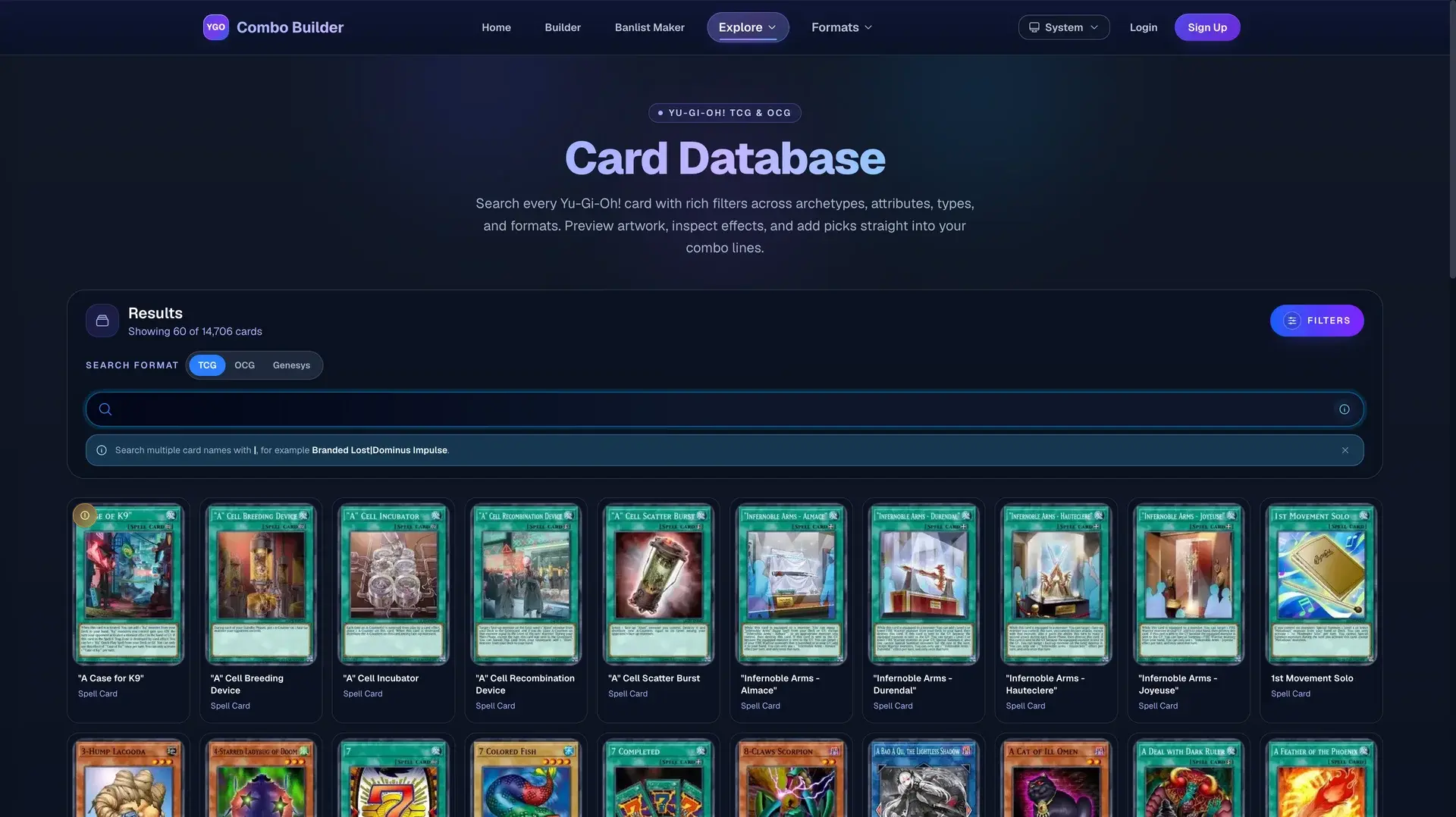
What is the Card Search?
The YGO Combo Builder Card Search gives you access to the full Yu-Gi-Oh! card database from a single search bar. Type any part of a card name and autocomplete suggestions appear immediately. If you are not sure of the exact name, narrow results using the filter panel on the left — choose a monster attribute, pick a card type, enter an archetype name, or set ATK and DEF ranges.
Every card result shows the card image, full effect text, stat line, and current banlist legality across TCG, OCG, and GOAT formats side by side. There is no need to switch between tabs or cross-reference an external banlist page. When you find the card you need, click once to add it to your active combo line in the builder.
Available search filters
All filters stack — combine as many as you need to drill down to exactly the cards that fit your strategy.
- Card name
- Partial or full name with real-time autocomplete. Handles alternate spellings and common abbreviations.
- Archetype
- Filter by archetype keyword (for example, "Tearlaments", "Purrely", or "Ishizu") to browse an entire engine at once.
- Card type
- Monster, Spell, Trap. Monster sub-types include Normal, Effect, Fusion, Synchro, XYZ, Link, Ritual, and Pendulum.
- Monster attribute
- DARK, LIGHT, EARTH, WATER, FIRE, WIND, and DIVINE — useful when building combos that require a specific attribute for a Synchro or Link condition.
- ATK and DEF range
- Set a minimum and maximum attack or defence value. Helpful when searching for beatsticks, walls, or targets for specific revival effects.
- Banlist legality
- Filter to Forbidden, Limited, Semi-Limited, or Unlimited cards for TCG, OCG, or GOAT. Great for checking what is safe to run at three copies.
Integrated with the Combo Builder
Card Search is embedded directly inside the Combo Builder, so you never leave your combo to look up a card. The sidebar search panel sits alongside your active combo line — find the card, check its effect, and add it to the next step without breaking your workflow.
Hovering over any card in a combo line opens a full card preview with the official card image and effect text. If you need to verify a ruling mid-build, the information is one hover away.
The standalone card database at /cards lets you browse and filter the full catalog outside of a combo build — useful when researching a new archetype or looking for extender options before you open the builder.
Typical use cases
- Building a new deck — Filter by archetype to see every card in an engine, then cross-reference banlist legality to confirm how many copies are available before adding them to a combo line.
- Finding extenders — Search by monster type and attribute to find extenders that trigger the boss monster's special summon condition. The ATK filter helps narrow to the stat range a specific card requires.
- Checking legality before an event — Set the legality filter to Forbidden to quickly scan which cards from your deck are no longer legal in the upcoming banlist cycle.
- Researching new set cards — Filter by archetype name to see all newly released cards from a set alongside older support, making it easy to spot synergies without memorizing every card name.
Start searching the card database
Browse every Yu-Gi-Oh! card with live filters, or jump straight into the builder to add cards to your next combo.